Why You Need An ESIM Card For Your Next Adventure
An eSIM card is a digital SIM embedded directly into your device, eliminating the need for a physical plastic card. This means you can activate a cellular plan without waiting for a physical SIM to arrive, giving you instant connectivity when you need it most. The freedom to switch between carriers or add a local data plan while traveling becomes effortless, all managed through your phone’s settings for a truly hassle-free experience.
What Makes This Embedded SIM Different From a Plastic One
The biggest difference is that an embedded SIM is soldered directly into your device, unlike a plastic SIM that you physically insert and remove. With an eSIM card, you switch carriers by scanning a QR code or using an app, not by hunting for a tiny tray or waiting for a physical card in the mail. For users, this means you can have multiple active profiles on one phone—say, a home plan and a travel plan—and toggle between them instantly without swapping chips.
You can change providers in seconds, making the eSIM far more flexible for travel or testing different services.
It also frees up physical space inside the device, which manufacturers can use for a larger battery or better waterproofing, so your phone becomes more durable while keeping you connected.
How the Built-In Chip Works Without a Physical Slot
The embedded SIM chip eliminates the physical slot by soldering a tamper-resistant eUICC (embedded Universal Integrated Circuit Card) directly onto the device’s motherboard. Instead of a removable card, this chip stores profile data in rewritable memory. Activation proceeds through a clear sequence:
- Your device downloads an encrypted operator profile over a network connection.
- The eUICC authenticates the profile using a built-in cryptographic key.
- It securely writes the profile into its dedicated storage, instantly linking you to the carrier.
This process mimics a physical SIM‘s function but uses only onboard hardware and software, removing the need for a tray or mechanical slot.
Comparing the Old SIM Tray to the Remote Download Approach
The primary shift is from a physical remote download approach that eliminates the SIM tray entirely. Instead of hunting for a paperclip to eject a tiny plastic card, you select a carrier profile via a smartphone menu. The sequence is simpler:
- Choose a plan or carrier from a list on your device.
- The eSIM profile downloads over your existing Wi-Fi or cellular connection.
- Activate it instantly by tapping a confirmation prompt.
You no longer wait for a physical card to arrive in the mail or risk losing the tiny tray. The entire process is digital, faster, and done directly from the device without handling any hardware.
Key Benefits That Drive Modern Travelers and Remote Workers
For modern travelers and remote workers, instant connectivity is the primary benefit of an eSIM card. It eliminates the need to find a physical SIM vendor after landing, allowing you to activate a local data plan immediately via a QR code or app. This seamless access to maps, communication tools, and cloud-based work platforms prevents downtime. Furthermore, eSIMs enable cost-effective global roaming by letting you switch between affordable local carriers in each country without juggling multiple plastic SIMs. Digital nomads benefit by maintaining their home number for banking and two-factor authentication while using a separate data-only eSIM for work. This flexibility and ease of managing profiles directly on a device keeps travelers productive and connected from the moment they step off the plane.
Instant Switching Between Local Carriers While Abroad
Instant switching between local carriers while abroad is a core convenience of eSIM technology. Rather than purchasing and physically swapping a new SIM card in each country, you can load multiple carrier profiles onto your device. This allows for on-the-fly selection of the strongest local network for data speeds or reliability. Carrier selection latency is eliminated, as transitions between profiles happen within seconds through settings menus. For remote workers crossing borders frequently, this functionality prevents costly roaming gaps and connectivity downtime. You can activate a regional data package before departure and switch carriers upon arrival, all without visiting a store or handling a tiny chip.
Keeping Two Active Lines on One Phone for Work and Life
Managing a work number and a personal number simultaneously on a single device is a primary driver for eSIM adoption. By keeping two active lines on one phone for work and life, users eliminate the need for a second physical handset while maintaining distinct professional and private boundaries. This setup allows a traveler to answer client calls on the business line while reserving the personal number for family, all without swapping SIM trays. The dual-SIM eSIM advantage ensures each line retains its own voicemail, messaging apps, and data plan. A practical comparison highlights the difference:
| Physical SIM (Traditional) | eSIM Dual Line Setup |
|---|---|
| Requires carrying two devices or swapping cards | Both lines active simultaneously on one phone |
| Must manually switch profiles for work/life | Seamless, always-on access to both numbers |
| Risk of losing or damaging one SIM | One eSIM is digitally stored; no physical card to manage |
Which Devices Actually Support This Technology
Most modern flagship smartphones, such as the Apple iPhone XS and newer (excluding the US iPhone 14, which has no physical SIM), and all Google Pixel models from the Pixel 4 onwards, support eSIM technology. Samsung’s Galaxy Z and S series (starting with the S20) and Note20 series are also compatible. Many recent mid-range devices, including the Motorola Razr and certain Galaxy A models, offer dual SIM functionality via a physical slot and an eSIM. Laptops like the Surface Pro X and Lenovo ThinkPad X1 Carbon now include eSIMs for cellular connectivity. For wearables, the Apple Watch Series 3 and newer, and Samsung Galaxy Watch 4 and newer, rely entirely on eSIM for standalone cellular service.
Top Smartphone Models From Apple, Samsung, and Google
For Apple, the entire iPhone 14 and 15 lineup in the U.S. ditched the physical SIM tray entirely, relying solely on eSIM. Samsung’s Galaxy S24 series and Z Fold/Flip 5 models offer dual SIM support, easily switching between a physical card and an eSIM. Google has gone all-in with the Pixel 8 and 8 Pro, letting you store multiple eSIM profiles and swap carriers directly in settings. These are the top phones making eSIM a practical, everyday feature, not just an afterthought.
- iPhone 14 and 15 (U.S. models) use eSIM exclusively, no physical SIM slot.
- Samsung Galaxy S24 and Z Fold 5 support dual active SIMs (one physical, one eSIM).
- Google Pixel 8 and 8 Pro let you switch between eSIM profiles without touching the tray.
Laptops, Tablets, and Smartwatches With Embedded Connectivity
Laptops, tablets, and smartwatches with embedded connectivity rely on an eSIM to function independently without a physical SIM slot. In laptops like the Surface Pro 9 or iPad Pro, the eSIM enables cellular data for on-the-go work, bypassing Wi-Fi limitations. Tablets such as the Samsung Galaxy Tab S9 use eSIM profiles to switch carriers without swapping cards. Smartwatches, including the Apple Watch Ultra, pair the eSIM to the phone’s plan, allowing calls and data while untethered. Each device class manages connectivity differently: laptops treat it as a secondary modem, tablets as a primary link, and watches as a relay. This embedded SIM integration ensures these devices maintain always-on networks for specific user workflows.
How to Activate and Manage Your Digital Profile
You land in a new city, your phone dead. Instead of hunting for a plastic SIM, you open your carrier’s app and scan a QR code. In seconds, your digital profile is active—your eSIM embeds your identity, linking your number and data plan directly to your device. Managing it is just as fluid: you juggle multiple profiles, swapping between work and personal lines in your phone’s settings. Need to switch to a local carrier? You download a new eSIM profile, set it as default, and your old one hibernates.
Your digital profile becomes a living tool you edit on the fly—toggling roaming, deleting unused plans, or exporting a backup QR code if you reset your phone.
No physical churn, just a few taps to realign who you are on the network.
Scanning a QR Code or Using a Carrier App

To activate your eSIM, you typically scan a QR code provided by your carrier or use its dedicated app. With the QR code, open your phone’s cellular settings, select “Add eSIM,” and point the camera at the provided square. In contrast, a carrier app streamlines the process further, automatically detecting your device and pushing the profile directly to your network settings. Both methods install the eSIM instantly, letting you bypass physical cards entirely. This digital eSIM activation process is completed in under a minute, making it essential for managing multiple profiles or switching carriers on the go.
Manually Adding Network Details via Settings Menu
For ultimate control over your eSIM connection, manually adding network details via the Settings Menu is a reliable fallback when QR code scanning fails. Navigate to your device’s cellular settings and select “Add eSIM,” then choose “Enter Details Manually.” You must input specifics like the SM‑DP+ address and activation code provided by your carrier. This method bypasses camera-dependent setups, ensuring activation even with a broken lens. Confirm each field precisely—an incorrect character prevents profile installation. Once saved, the eSIM activates instantly, giving you direct command over your mobile network without external reliance.
Choosing a Plan Without Physical Packaging
Choosing a plan without physical packaging for an eSIM means you bypass the plastic card entirely, relying solely on digital delivery. The key advantage is instant activation; you select a plan from a provider’s app or website, receive a QR code or confirmation code, and install the eSIM profile directly onto your device within minutes. This eliminates shipping delays and the need to handle a fragile chip. Q: How do I confirm compatibility without a physical package? A: You must verify your device supports eSIM, check the provider’s list of compatible models, and confirm your phone is carrier-unlocked—something the package’s labeling would have done for you. Always back up your eSIM installation download or confirmation email, as you lack a physical card to re-scan if you erase your device.
Prepaid Data Packages for Short Trips vs Long Stays
For short trips, prepaid eSIM data packages offer immediate, high-speed access with durations matching your vacation length, avoiding leftover credit. Long stays demand packages with generous monthly allowances and extended validity, often including local number options. Package duration flexibility is key—short plans prioritize speed and simplicity, while long-stay plans balance cost with coverage.
- Short trips: 1–30 day plans with 1–10GB data, ready instantly.
- Long stays: 30–365 day plans with 10–100+GB, often top-up capable.
- Short plans restrict tethering; long plans allow device sharing.
Selecting a mid-tier plan for a two-week https://baztel.co/esim-plans/esim-japan trip can save money without sacrificing streaming speed.
Monthly Subscriptions From Regional or Global Providers
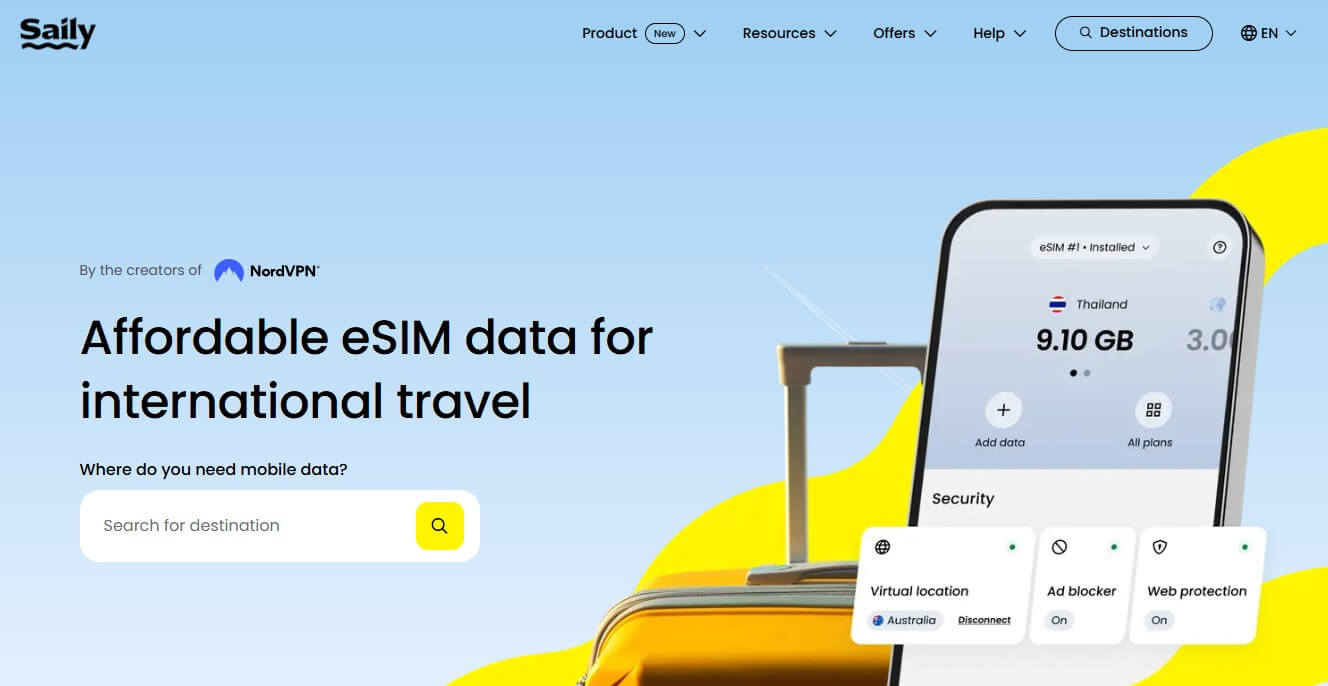
Monthly subscriptions from regional or global eSIM providers offer a predictable data cost without physical packaging. You pay a fixed fee each month for a set data allowance, often with coverage across multiple countries. This plan type is ideal for frequent travelers needing consistent connectivity across borders without juggling multiple local SIMs. Providers like Airalo or Holafly typically offer these recurring plans directly via their apps, ensuring automatic renewal and uninterrupted service. Choosing a global eSIM monthly plan simplifies budgeting, as you avoid per-trip purchases and roaming surprises.

Monthly subscriptions from regional or global providers deliver recurring, multi-country data coverage with automatic renewal, removing the need for physical SIMs or frequent plan changes.
Potential Drawbacks You Should Know Before Switching
Before switching to an eSIM, a key drawback is device incompatibility; not all phones support eSIMs, and older models are excluded entirely. You also face potential carrier lock-in, as transferring an eSIM between devices can be less straightforward than swapping a physical SIM. Additionally, recovery is harder without an alternative connection if your phone is lost or reset, since you cannot simply remove a card to insert into another handset. The activation process can also be cumbersome if you need to print or display a QR code while offline. Finally, switching between prepaid plans for travel may require deleting and re-downloading profiles, which most carriers do not instantly support.
Carrier Lock Conflicts When Moving Profiles Between Devices
When moving an eSIM profile between devices, carrier lock conflicts arise if the new device is locked to a different network than the profile’s issuer. The profile, tied to the original carrier, cannot activate on a device restricted to another carrier’s network, even if the eSIM is technically transferable. This is separate from handset unlock status; a device may allow swapping SIMs yet still reject an eSIM from a non-authorized carrier. You must verify both the source device’s unlock status and the target device’s carrier compatibility before initiating any transfer to avoid a permanent profile lockout.
Carrier lock conflicts prevent eSIM profile activation when the target device is restricted to a different network than the profile’s issuing carrier, requiring pre-verification of both devices’ lock statuses to avoid transfer failures.
Limited Availability on Older or Budget Handsets
Older or budget handsets frequently lack the necessary hardware and firmware support for eSIM activation, creating a practical barrier for users. Device compatibility gaps are most pronounced in models released before 2018 and entry-level Android devices, where manufacturers omit the embedded SIM chip to reduce costs. Even if a phone’s hardware is capable, the carrier profile provisioning system may not be integrated into its software stack. Thus, a fully functional 4G phone from 2017 can be rendered eSIM-incompatible due solely to absent baseband configuration.
- Check your phone’s IMEI specifically for eSIM support—generic “4G” or “LTE” labels do not guarantee compatibility.
- Many budget Android models in the $100–$200 range omit the required chip entirely, even if the same model has an eSIM variant in higher-price regions.
- Unlocked older phones from secondary markets often lack the firmware updates needed to enable eSIM profiles from local carriers.
Security and Privacy Features of the Digital Alternative
An eSIM enhances security by being soldered directly into the device, making it immune to physical theft or removal compared to a traditional plastic SIM. Its remote provisioning capability allows users to activate or deactivate a profile without handling a physical card, reducing the risk of SIM swap attacks. Privacy is strengthened because an eSIM profile can store multiple network identities, allowing users to switch carriers without exposing their primary number. The secure element architecture encrypts authentication credentials within the device’s hardware, isolating them from the operating system and preventing unauthorized access during data transmission.
Remote Locking and Wiping When a Device Is Lost
With an eSIM, remote locking and wiping become more direct because the digital profile is tied to the device’s secure element, not a physical card. When a device is lost, the eSIM can be remotely deactivated instantly via a carrier portal or device management interface, severing network access to prevent data exfiltration. A remote wipe command can then erase the eSIM profile and all local user data, rendering the device useless to a thief. This process is non-reversible once executed, ensuring no residual access.
- Deactivate the eSIM profile immediately to cut cellular connectivity.
- Send a remote wipe command to delete the eSIM and all device data.
- Automatically remove the eSIM profile when a factory reset is triggered remotely.

Reduced Risk of SIM Swapping Attacks
A major perk of an eSIM is the dramatically reduced risk of SIM swapping attacks. Because your profile is embedded in the device’s hardware, a scammer can’t trick a store clerk into handing over a physical card to port your number. Social engineering becomes much harder; they’d need physical access to your phone to alter the eSIM. This makes account takeovers significantly more difficult for attackers.
Q: Does an eSIM completely stop SIM swapping?
A: No security is absolute, but it removes the most common vector—fraudulently obtaining a physical SIM. Your number stays locked to your device.
Future Trends Shaping Network Access Without Plastic
The future of network access without plastic hinges on the eSIM card becoming a seamless, invisible utility. Imagine instantly activating a local data plan moments after landing, without fumbling with a tiny physical tray. This shift points toward fully programmable connectivity, where your device dynamically selects the best carrier based on signal strength or cost, all managed through a simple app.
A key insight is that your phone’s profile, not a physical card, will become the single point of control for multiple plans across different countries.
As eSIMs become standard, you will likely see instant plan hopping between work and personal numbers, or even temporary data boosts for a single app, all without ever needing a piece of plastic.
Carrier Policies Pushing for Default Digital Activation
Carrier policies are increasingly mandating default digital activation by provisioning eSIM profiles directly at point of sale, bypassing plastic SIM cards entirely. This shift means users must accept an eSIM activation workflow as the standard setup process, often requiring a QR code scan or guided app installation instead of inserting a physical chip. Carriers typically lock the eSIM to the device’s IMEI upon activation, preventing manual transfer to another handset without a carrier-initiated reprovisioning. This hard-locked activation simplifies logistics for providers but reduces user flexibility, as switching devices necessitates contacting support to reissue the profile, effectively tying the subscriber to the carrier’s digital ecosystem.
Integration With IoT Gadgets and Connected Cars
The eSIM is the perfect sidekick for your smart life, making integration with IoT gadgets and connected cars effortless. Your car can automatically download a data plan for in-dash navigation and real-time traffic, without a physical SIM. Smart home sensors, from pet feeders to garage openers, get activated instantly by scanning a QR code. Your fitness tracker or smart luggage stays online globally, switching carriers based on local coverage.
- Swap a connected car’s network provider remotely, just like you switch apps.
- Provision a new smart thermostat or smoke detector directly from your phone.
- Keep your kid’s smartwatch connected on a family data pool, no physical swapping needed.
What Exactly Is an Embedded SIM and How Is It Different?
The core definition: a digital SIM built into your device
Physical SIM vs digital profile: key differences in form and function
Which devices currently support this technology
How Does This Digital Profile Work Step by Step?
Activating your first profile through a QR code or app
Switching between multiple carrier profiles on one device
How data and connectivity are managed without a plastic card
What Are the Real Benefits of Switching to This Technology?
Never needing to swap tiny cards when traveling abroad
Keeping your primary number while adding a local data plan
Instant activation and removal of carrier profiles
How to Choose the Right Digital SIM Plan for Your Needs
Data allowance, validity periods, and coverage areas explained
Comparing prepaid travel plans versus long-term subscriptions
What to check about carrier compatibility before buying